Smart invoicing
Create, approve and send professional PDF invoices, then track payment status in real time.
Automate accounting and everyday operations, from finance and stock to sales, payroll, projects, customers and team workflows.
Free to start · No card required · Runs in your browser
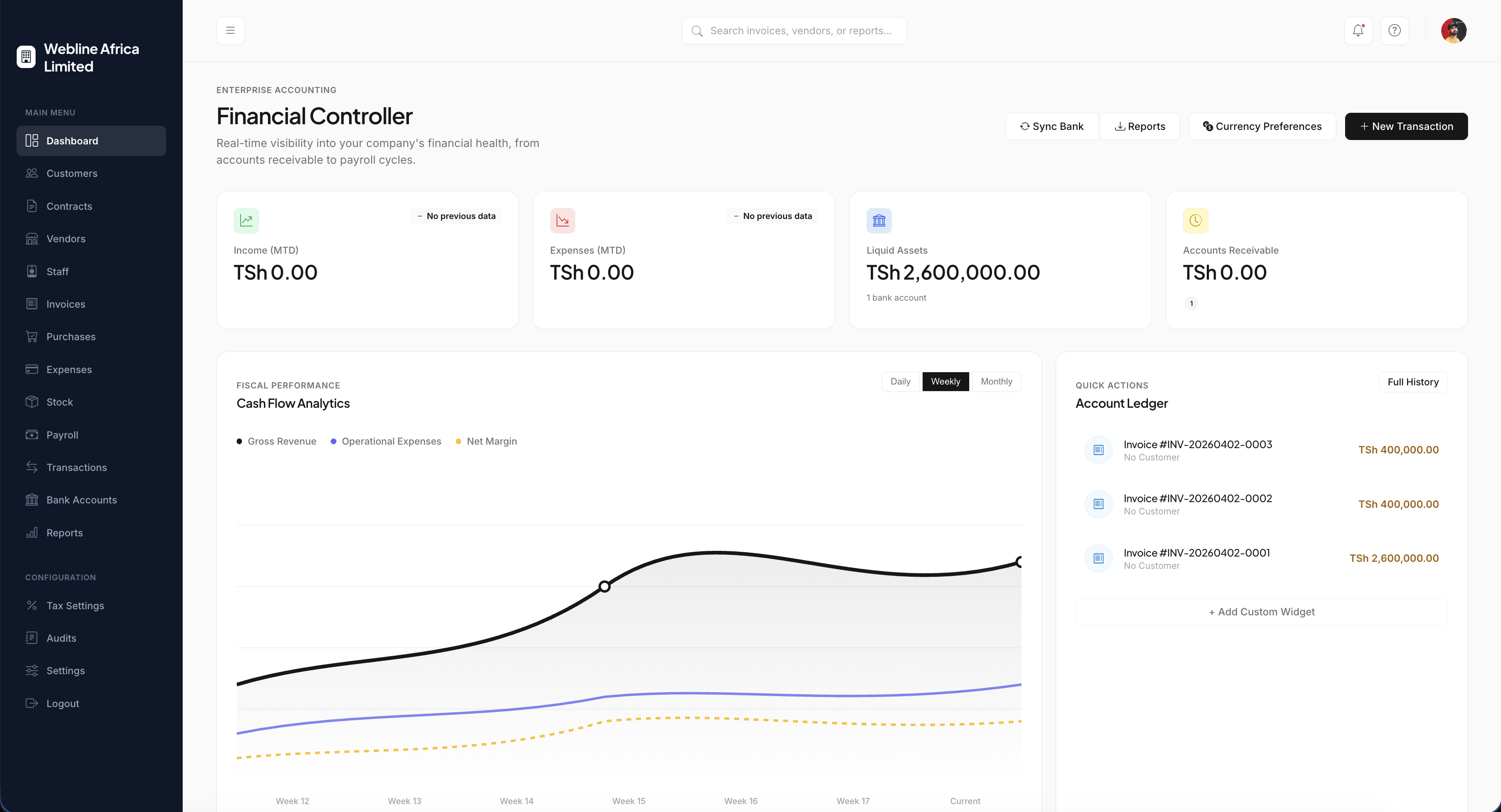
DavoBooks replaces multiple tools with a single, tightly integrated platform. From stock tracking to point of sale, the whole business runs on one set of numbers.
Create, approve and send professional PDF invoices, then track payment status in real time.
Link stock items to invoices so pricing fills in automatically and quantities deduct on payment.
Monitor bank accounts, record expenses and see your net financial position at a glance.
A retail till for counters and shops that writes straight back into stock and accounting.
Automate salaries, statutory deductions, benefits and payslips for your whole team.
Plan milestones and tasks for internal teams and customer projects in a shared workspace.
Detailed customer profiles, assigned account managers and complete transaction histories.
Financial and operational reports that answer business questions, not just list transactions.
Every create, approve, edit and cancellation is logged against the person who did it.
A read-only assistant that answers totals and questions using only your company data.
Beyond the headline modules, every account includes the supporting tools that keep a business tidy.
Every module is described in detail, along with the approvals, permissions and audit trail behind it.
Explore featuresMost businesses lose time re-typing the same transaction into different systems. DavoBooks records it once and carries it everywhere it is needed.
Build invoices from your stock list or enter them freehand, route them for approval, and email a branded PDF to the customer. Delivery notes, credit notes and payment allocation are all handled in the same workspace.
Track every item across warehouses and branches, see what is running low, and let DavoBooks keep quantities honest by deducting stock the moment an invoice is paid or a sale is completed at the till.
DavoBooks keeps the ledger, the bank and the day-to-day spending in one picture. Record expenses against the right account, reconcile transactions, and read your position without waiting for a month-end pack.
Ask plain questions such as how much was invoiced this month or which customers are overdue. The assistant is scoped to your company account, cannot change records, and is designed to keep your financial data inside your workspace.
Designed for modern businesses, DavoBooks connects accounting and operations in one straightforward workflow.
Register your company and invite your team. Assign roles such as Director or Accountant so permissions are correct from day one.
Add your products, categories and opening quantities, then link the bank accounts you trade from.
Raise invoices from your stock, send the PDF, and let stock deduct automatically once payment is confirmed.
Permissions, company isolation and audit trails are built into the platform rather than bolted on afterwards.
Directors, accountants, store keepers and staff each see only the modules their role allows. Permissions are checked on the server, not just hidden in the interface.
Records belong to a company and queries are scoped to it. One company's invoices, customers and payroll can never appear in another company's workspace.
The application is served over HTTPS only, with strict transport security so browsers refuse to fall back to an insecure connection.
Creation, approval, editing and cancellation are recorded with the user and timestamp, so you can always reconstruct how a figure was produced.
DavoBooks is a next-generation accounting platform built to streamline your financial workflows - invoices, expenses, payroll and reporting in one place.
If something is not covered here, the team replies to email within one business day.
DavoBooks is more than accounting software. Automate your finances and operations from one connected platform.